
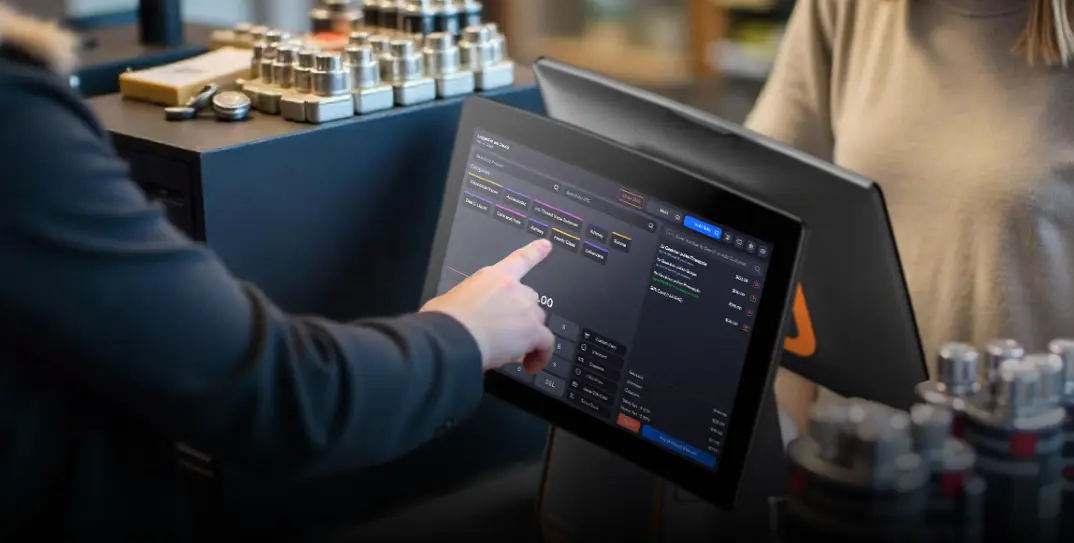
Best POS System for Small Business (2026 Buyer’s Guide)
By Daniel Blake
In today’s fast-paced commercial landscape, a reliable Point of Sale (POS) system is no longer just a luxury for large enterprises; it’s a fundamental necessity for small businesses looking to thrive, grow, and compete effectively. Beyond simply processing transactions, a modern POS system acts as the central nervous system of your business, integrating sales, inventory, customer management, and analytics into one streamlined platform.
Choosing the best POS system for your small business can feel overwhelming given the myriad options available. This definitive guide will cut through the noise, detailing the essential features, strategic benefits, and critical considerations for selecting a POS solution that perfectly aligns with your unique business needs and budget in 2025. We’ll help you make an informed decision that drives efficiency, boosts profitability, and enhances your customer experience.
Table of Contents
- Why Your Small Business Needs a Modern POS System
- Essential Features of a Top Small Business POS System
- Seamless Payment Processing
- Intuitive Inventory Management
- Customer Relationship Management (CRM) & Loyalty
- Robust Sales Reporting & Analytics
- Efficient Employee Management
- Omnichannel Capabilities
- Third-Party Integrations
- Security & Compliance
- Strategic Benefits: Beyond the Transaction
- Top POS Systems for Small Businesses (Overview)
- How to Choose the Right POS System for Your Small Business
- Understanding POS System Pricing & Costs
- Future-Proofing Your POS Investment
- Conclusion: Empower Your Small Business
- Frequently Asked Questions (FAQs)
Why Your Small Business Needs a Modern POS System
Gone are the days when a cash register and a calculator were sufficient. Today, a modern POS system is an indispensable tool that offers significant advantages for small businesses:
- Streamlined Operations: Automate tasks like sales tracking, inventory updates, and reporting, freeing up valuable time.
- Improved Efficiency: Faster checkout times, quicker inventory counts, and simplified staff management.
- Enhanced Customer Experience: Personalized service, loyalty programs, and diverse payment options keep customers happy and returning.
- Data-Driven Decisions: Gain insights into sales trends, popular products, and employee performance to make smarter business choices.
- Reduced Errors: Minimize human error in pricing, inventory, and transaction records.
- Scalability: A good POS system grows with your business, easily accommodating new products, locations, or sales channels.
Investing in the right POS system is an investment in your business’s future success and operational health.
Essential Features of a Top Small Business POS System
Seamless Payment Processing
At its core, a POS system processes payments. Modern systems offer:
- Multiple Payment Methods: Accept credit/debit cards (swipe, chip, tap), mobile payments (Apple Pay, Google Pay), gift cards, and even e-checks.
- Integrated Processing: Direct integration with payment processors for faster, more secure transactions and simplified reconciliation.
- Transparent Rates: Clear, competitive transaction fees with no hidden charges.
- Offline Mode: Ability to process payments even if internet connectivity is temporarily lost.
Intuitive Inventory Management
Effective inventory control is critical for profitability and customer satisfaction.
- Real-time Tracking: Monitor stock levels across all products and locations in real-time.
- Automated Alerts: Receive notifications for low stock, allowing you to reorder popular items before they run out.
- Product Variants: Easily manage products with multiple variations (e.g., size, color, style).
- Vendor Management: Track supplier information, purchase orders, and receiving.
- Barcode Scanning & Printing: Quickly add and manage products with integrated barcode functionality.
Customer Relationship Management (CRM) & Loyalty
Build stronger relationships and encourage repeat business.
- Customer Profiles: Store customer contact details, purchase history, and preferences.
- Loyalty Programs: Create and manage points-based, tiered, or discount-based loyalty programs.
- Targeted Marketing: Use customer data to send personalized promotions and communications via email or SMS.
- Gift Card Management: Sell and redeem digital or physical gift cards easily.
Robust Sales Reporting & Analytics
Transform raw data into actionable business intelligence.
- Customizable Reports: Generate detailed reports on sales trends, best-selling products, peak sales times, and employee performance.
- Real-time Dashboards: Get an instant overview of key performance indicators (KPIs).
- Profitability Analysis: Track gross margins and identify profitable product categories.
- Exportable Data: Easily export reports for accounting or further analysis.
Efficient Employee Management
Simplify staff operations and enhance accountability.
- Time Clock: Track employee clock-ins, clock-outs, and breaks directly through the POS.
- Permission Levels: Assign different access rights to staff members based on their roles.
- Performance Tracking: Monitor individual sales performance and commission tracking.
- Payroll Integration: Seamlessly integrate with popular payroll software.
Omnichannel Capabilities
Provide a consistent experience across all sales channels.
- E-commerce Integration: Synchronize inventory, sales, and customer data between your physical store and online store.
- Online Ordering: Offer options for online ordering with in-store pickup, curbside, or local delivery.
- Unified Reporting: View combined sales data from all channels in one place.
Third-Party Integrations
Extend your POS system’s functionality with seamless connections to other business tools.
- Accounting Software: Sync sales data directly with QuickBooks, Xero, or other accounting platforms.
- Marketing Platforms: Integrate with email marketing, SMS marketing, or social media tools.
- Scheduling Software: Connect with employee scheduling or appointment booking apps.
Security & Compliance
Protect your business and customer data.
- PCI DSS Compliance: Ensure the system adheres to Payment Card Industry Data Security Standard to protect cardholder information.
- Data Encryption: Securely encrypt sensitive data both in transit and at rest.
- Fraud Prevention Tools: Built-in features to detect and flag suspicious transactions.
- User Access Controls: Strong password policies and role-based permissions to prevent unauthorized access.
Strategic Benefits: Beyond the Transaction for Your Small Business
Beyond the impressive features, selecting the best POS system for small business provides tangible strategic advantages that fuel growth and operational excellence:
- Boosted Efficiency & Productivity: Automation of routine tasks frees up staff time, allowing them to focus on sales and customer service.
- Enhanced Customer Satisfaction & Loyalty: Faster checkouts, personalized interactions, and effective loyalty programs create repeat customers and positive word-of-mouth.
- Reduced Costs & Increased Profitability: Optimized inventory management minimizes waste and stockouts, while detailed reporting helps identify profitable opportunities and control expenses.
- Real-time Business Insights: Access to immediate data on sales, inventory, and customer behavior empowers agile decision-making, leading to better strategic planning.
- Seamless Scalability: The right POS system grows with your business, easily adapting to increased sales volume, new locations, or additional product lines without needing a complete overhaul.
- Improved Data Security & Compliance: Built-in security features and compliance adherence protect your business from fraud and regulatory penalties, safeguarding your reputation.
- Competitive Edge: Leverage modern technology to offer a superior customer experience and more efficient operations than competitors still relying on outdated systems.
Top POS Systems for Small Businesses (Overview)
While the “best” system is subjective to your specific needs, several POS providers consistently rank high for small businesses in 2025 across various industries. Here’s a brief overview of some top contenders you should consider exploring:
- Square POS: Widely popular for its ease of use, transparent pricing (often free software with transaction fees), and versatile hardware. Excellent for startups, mobile businesses, and small retail/cafes.
- Shopify POS: Ideal for businesses with an existing or planned e-commerce presence, offering seamless integration between online and offline sales. Strong inventory and omnichannel features.
- Lightspeed POS: Known for robust inventory management, advanced reporting, and scalability, making it suitable for growing retail businesses with complex stock needs or multiple locations.
- Clover POS: Offers a wide range of hardware options, a user-friendly interface, and an extensive app marketplace for customization, appealing to various small to medium-sized businesses.
- Toast POS: A leader specifically for restaurants and hospitality businesses, offering specialized features for menu management, table service, kitchen display systems (KDS), and more.
- KORONA POS: Often praised for strong inventory control, loyalty programs, and 24/7 support, catering well to specialty retail (including some higher-risk niches).
- Vend POS (by Lightspeed): A cloud-based retail POS known for its user-friendly interface and strong inventory features, suitable for a range of small to medium retailers.
Each of these systems has unique strengths, pricing models, and ideal customer profiles. It’s crucial to evaluate them based on your specific industry, business size, and feature requirements.
How to Choose the Right POS System for Your Small Business
Selecting the perfect POS system requires a structured approach. Follow these steps to ensure you make the best choice:
Assess Your Business Needs
- What type of business do you run (retail, restaurant, service, mobile)?
- What are your most critical operations (e.g., inventory management, customer loyalty, online sales)?
- Do you need specialized features (e.g., table management, age verification, appointment booking)?
- What is your projected transaction volume?
- Do you have multiple locations?
Set Your Budget
- Consider software subscription fees (monthly/annual).
- Evaluate hardware costs (terminals, scanners, printers, card readers).
- Factor in payment processing fees (per transaction, flat rate, interchange-plus).
- Account for any setup, installation, or training costs.
Prioritize Essential Features: Based on your needs assessment, create a list of “must-have,” “nice-to-have,” and “not-needed” features.
Evaluate Ease of Use: A complex system will lead to frustration and training headaches. Look for intuitive interfaces that your staff can learn quickly.
Check Scalability: Can the system grow with your business? Can you easily add more registers, locations, or features in the future?
Review Integration Capabilities: Ensure it seamlessly integrates with your existing accounting, e-commerce, CRM, or payroll software.
Research Customer Support: Investigate their support channels (phone, email, chat), availability (24/7?), and responsiveness. Read reviews about their support quality.
Read Reviews & Ask for Recommendations: Look at independent review sites (e.g., G2, Capterra) and seek advice from other small business owners in your industry.
Request Demos & Trials: Most reputable providers offer free demos or trial periods. Use these opportunities to test the system’s functionality with your actual business operations.
Understanding POS System Pricing & Costs
The total cost of a POS system involves several components, and understanding them is key to budget planning:
Software Fees
Monthly/Annual Subscription: Most common. Ranges from $0 (basic) to $200+ per month (advanced features, multiple users/locations).
Per-Register/Per-User: Some charge based on the number of terminals or active users.
Tiered Pricing: Different plans offer varying features at different price points.
Hardware Costs
Mobile Readers: $0-$100 (connect to smartphone/tablet).
Tablet-Based Systems: $300-$800 (includes tablet, stand, card reader).
Full Terminal Setups: $1,000-$2,500+ (includes touchscreen monitor, printer, scanner, cash drawer).
Some providers offer hardware bundles or financing options.
Payment Processing Fees
Flat Rate: A fixed percentage + fixed cents per transaction (e.g., 2.6% + $0.10). Common with Square, Shopify Payments.
Interchange-Plus: Interchange rate (set by card networks) + a small markup from the processor. Often lower for high volume.
Tiered Pricing: Complex and often less transparent.
Additional Fees (Potential)
Setup or installation fees.
Training costs.
Add-on features or premium integrations.
Chargeback fees.
Always request a comprehensive, written breakdown of all potential costs before making a decision.
Future-Proofing Your POS Investment
To ensure your chosen POS system remains a valuable asset for years to come, consider its ability to adapt and evolve:
- Cloud-Based Architecture: Cloud POS systems offer remote access, automatic updates, and scalability.
- Open API & Robust Integrations: A system with a well-documented API allows for seamless connections with new software as your business needs change.
- Regular Updates & Feature Releases: Choose a provider committed to continuous improvement and innovation.
- Mobile Capabilities: Ensure the system supports mobile devices for flexible operations or future expansion into pop-up shops or delivery.
- Data Ownership & Portability: Understand how easily you can export your data if you ever need to switch providers.
CONCLUSION
Empower Your Small Business with the Right POS
Choosing the best POS system for your small business is a strategic decision that can significantly impact your operational efficiency, financial health, and customer relationships. By carefully evaluating your unique needs, understanding essential features, and considering long-term scalability and support, you can select a POS solution that not only meets your current demands but also empowers your business for sustained growth in 2025 and beyond.
Invest wisely, and watch your small business thrive.
Frequently Asked Questions
A Point of Sale (POS) system is a combination of hardware and software that processes transactions and manages various business operations. Small businesses need a POS to streamline sales, track inventory, manage customer data, automate reporting, and enhance overall efficiency beyond a traditional cash register.
Key features include robust payment processing, real-time inventory management, comprehensive sales reporting and analytics, customer relationship management (CRM) tools, and employee management capabilities. Scalability, ease of use, and reliable customer support are also crucial.
Costs vary widely based on features and provider. Software subscriptions can range from free basic plans (with higher transaction fees) to $50-$200+ per month. Hardware costs can be a few hundred dollars for mobile setups to several thousand for full-fledged terminal systems. Payment processing fees are additional.
Yes, many modern POS systems offer omnichannel capabilities, allowing businesses to seamlessly integrate and manage both online (e-commerce) and in-store sales, inventory, and customer data from a single platform. This is vital for providing a consistent customer experience.
For most small businesses, cloud-based POS systems are superior due to their lower upfront costs, remote accessibility (manage your business from anywhere), automatic software updates, better scalability, and often enhanced data security. Traditional systems require more significant upfront investment and on-site IT management.
Recent Blogs
Best POS System for Small Business (2026 Buyer’s Guide)
November 26, 2025
What is a POS System? Your Complete Guide to Point of Sale Technology
November 25, 2025
The Ultimate Guide to Choosing the Best Smoke Shop POS System in 2026
November 24, 2025